> ## Documentation Index
> Fetch the complete documentation index at: https://docs.binderhr.com/llms.txt
> Use this file to discover all available pages before exploring further.

# 콘텐츠

> 해당 페이지에서는 모듈 중에서 콘텐츠에 대한 개념 및 사용 방법에 대해 소개합니다.

## 1. 콘텐츠

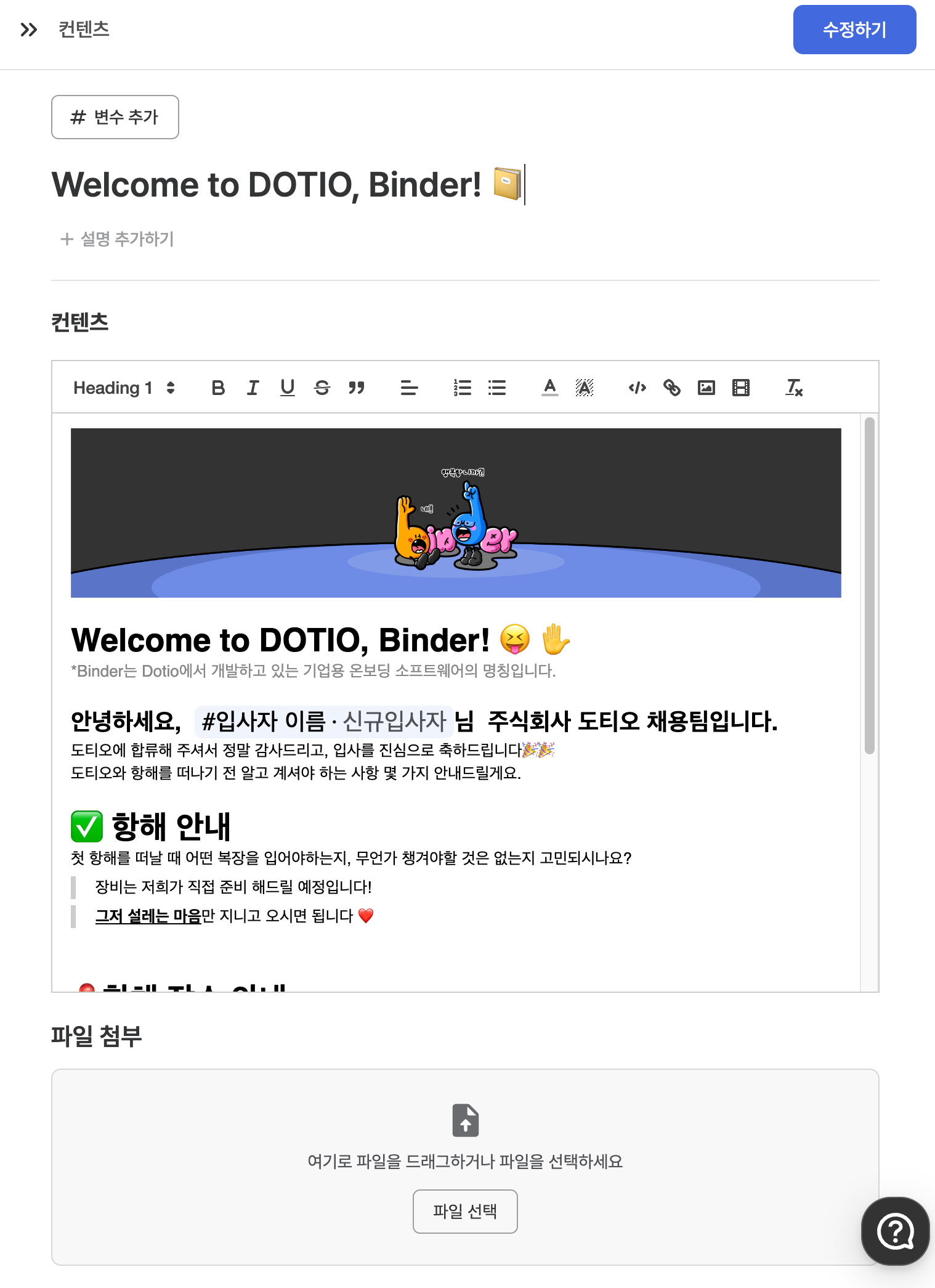
바인더 자체 콘텐츠 에디터가 제공되며, 해당 에디터로 문서를 만들 수 있습니다.

<Info>
  온보딩 이해관계자들이 짧은 호흡으로 소비할 수 있는 콘텐츠를 제작하시는 것을 권장드리고 있습니다. <b>바인더는 마이크로 러닝 전략에 잘 어우러지는 서비스입니다.</b>
</Info>

<img src="https://mintcdn.com/binder-0d6eccc3/PL1IgXSFD8m8il_d/images/SCR-20240504-omri.png?fit=max&auto=format&n=PL1IgXSFD8m8il_d&q=85&s=6e34e74d69ee25e796b109a74b77fec0" width="1518" height="2090" data-path="images/SCR-20240504-omri.png" />

### 1.1 콘텐츠 - 변수

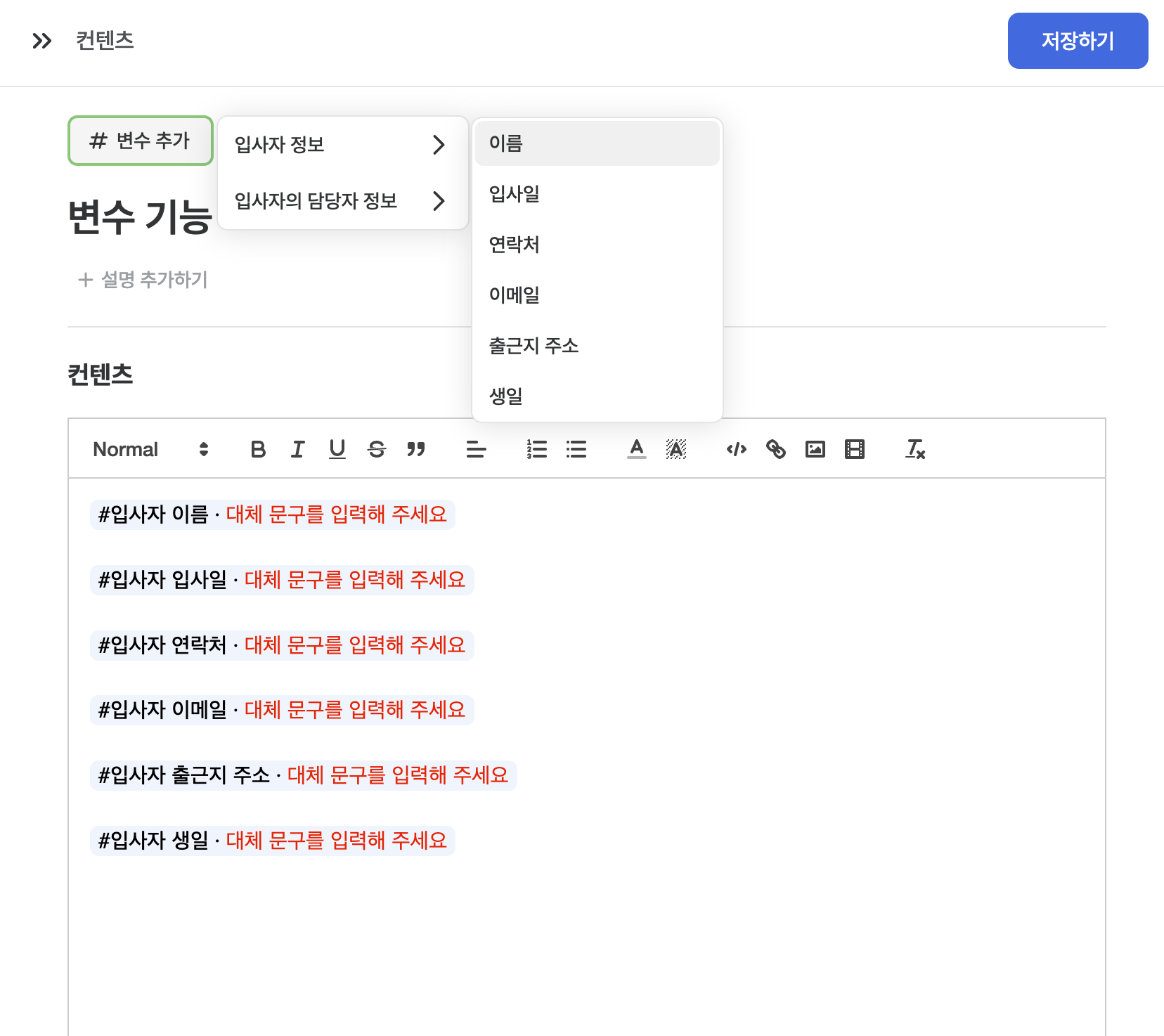
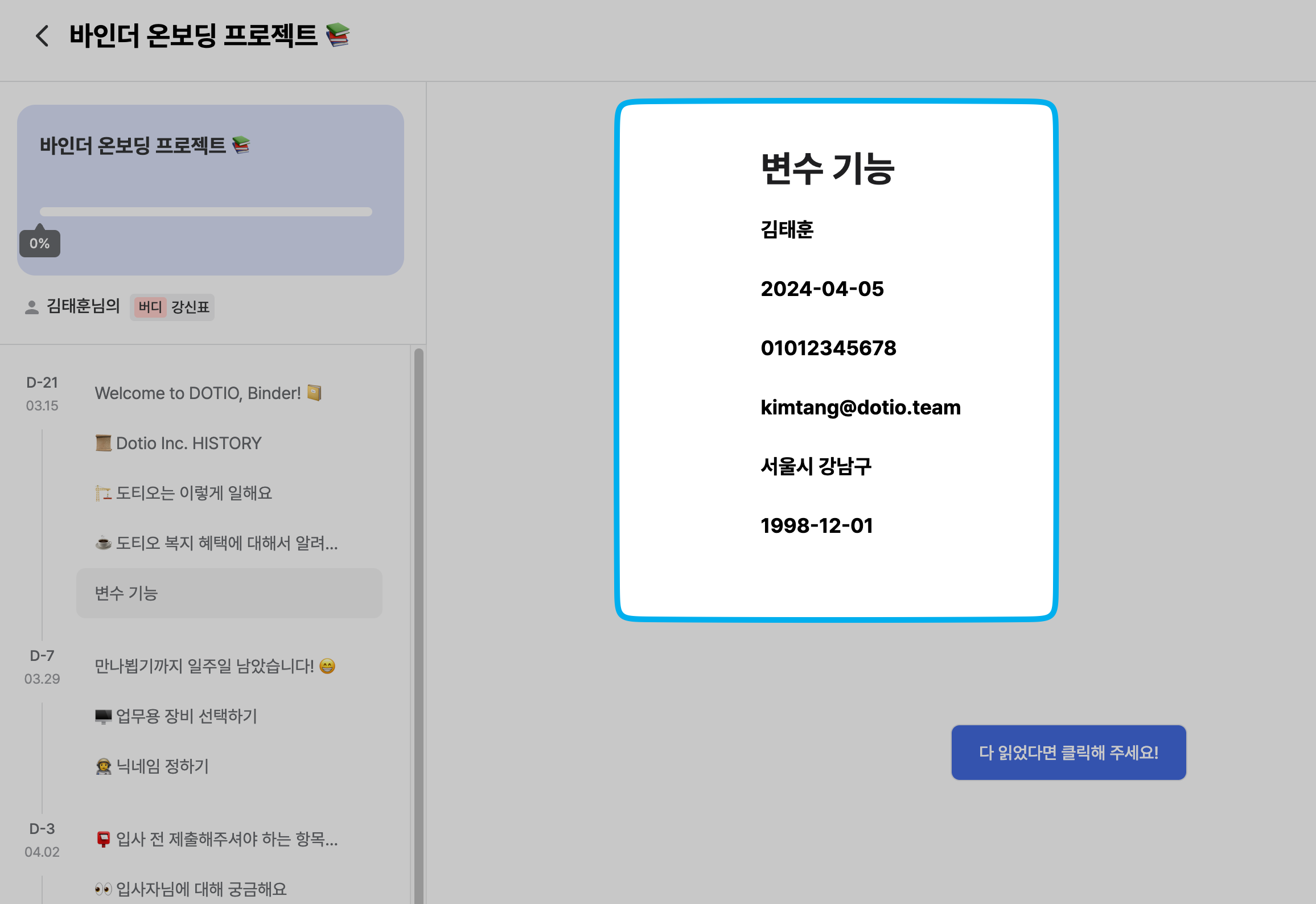
초개인화된 경험을 선사하기 위해 변수 기능을 제안드립니다. 회사의 콘텐츠에 신규 입사자의 이름이 기재되어 있다면 얼마나 값진 경험이 될까요? <br /> <br />
[조직 관리](https://www.naver.com)에서 사용자 정의 필드를 생성하여, 변수 기능을 더 풍부하게 활용해보세요.

<Warning><b>'대체 문구를 입력해주세요'</b>를 작성하여 필드가 없는 경우를 대비할 수 있습니다.</Warning>

<img src="https://mintcdn.com/binder-0d6eccc3/PL1IgXSFD8m8il_d/images/SCR-20240504-orcf.png?fit=max&auto=format&n=PL1IgXSFD8m8il_d&q=85&s=2e9e4d984b4b2a83dbe1450c46873773" width="1656" height="1474" data-path="images/SCR-20240504-orcf.png" />

<img src="https://mintcdn.com/binder-0d6eccc3/PL1IgXSFD8m8il_d/images/SCR-20240504-ovff.png?fit=max&auto=format&n=PL1IgXSFD8m8il_d&q=85&s=9a0860eea70ae50e11f935bec71a873f" width="2312" height="1588" data-path="images/SCR-20240504-ovff.png" />

### 1.2 콘텐츠 - 파일 첨부

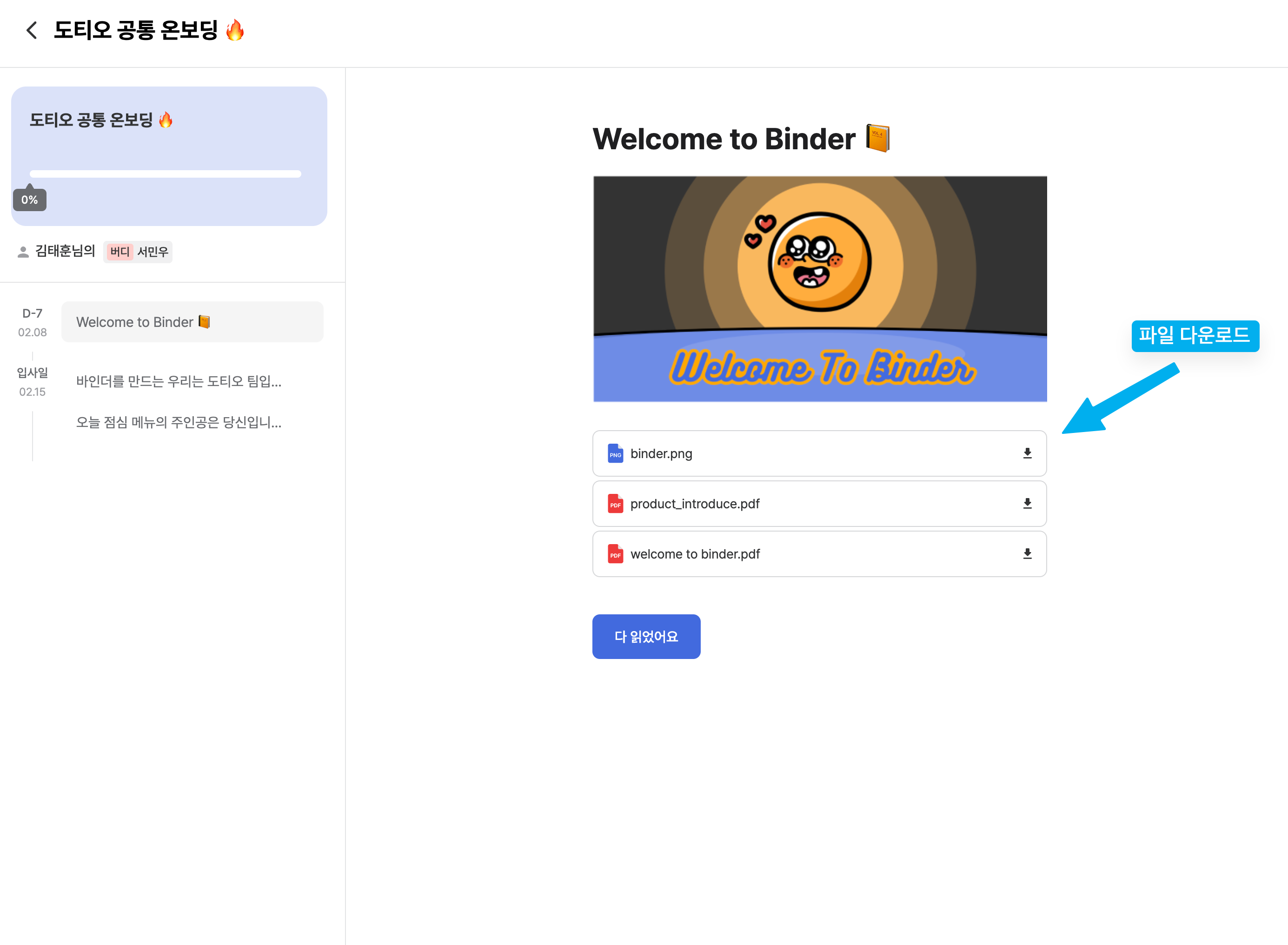
온보딩 이해관계자에게 콘텐츠로 설명하기 부족할 때 혹은 건네줘야 하는 자료가 있을 때 <b>PDF, 사진, 영상 등 파일을 첨부할 수도 있습니다.</b>

#### 1.2.1 탐색기로 파일 첨부하기

<img src="https://mintcdn.com/binder-0d6eccc3/PL1IgXSFD8m8il_d/images/file_choose.gif?s=84754edc3038a5f9f35bd4529e789779" width="1388" height="1023" data-path="images/file_choose.gif" />

#### 1.2.2 드래그 앤 드롭으로 파일 첨부하기

<img src="https://mintcdn.com/binder-0d6eccc3/PL1IgXSFD8m8il_d/images/dragdrop.gif?s=bc483de006600952c0bfff0d15ee7ade" width="1390" height="1022" data-path="images/dragdrop.gif" />

#### 1.2.3 온보딩 프로젝트 수행자 입장에서의 뷰

<img src="https://mintcdn.com/binder-0d6eccc3/PL1IgXSFD8m8il_d/images/actionview.png?fit=max&auto=format&n=PL1IgXSFD8m8il_d&q=85&s=39b4a82ece075f27a26c1d8ee2e5562a" width="2770" height="2032" data-path="images/actionview.png" />