> ## Documentation Index
> Fetch the complete documentation index at: https://docs.binderhr.com/llms.txt
> Use this file to discover all available pages before exploring further.

# 다수 구성원 추가하기

> 온보딩 이해관계자들을 초대하고, 관리할 수 있는 기능을 소개합니다.

## 1. 다수의 구성원 추가하기 (Excel)

<Info>
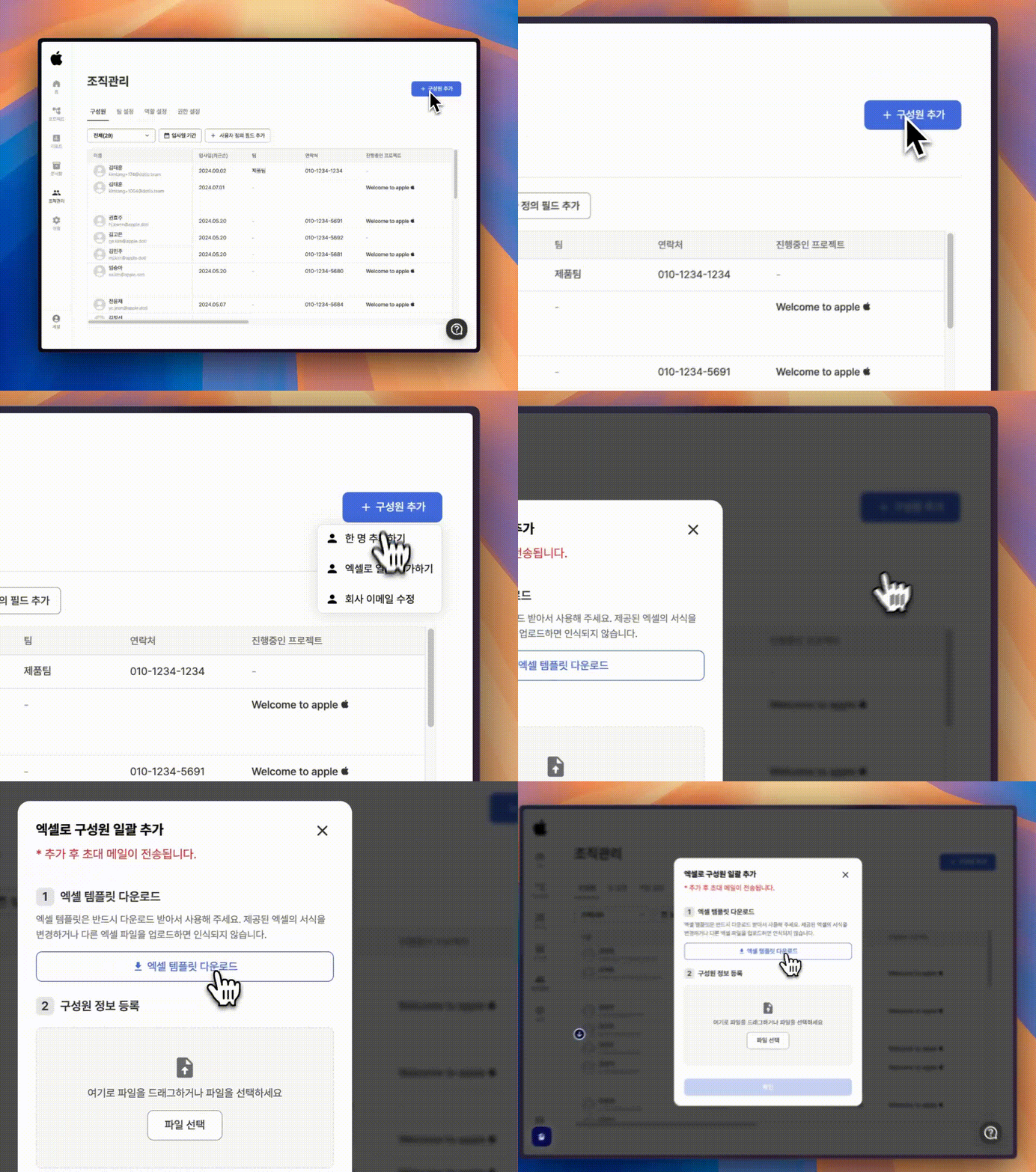
  1️⃣ 우측 상단에 있는 <b>\[+ 구성원 추가]</b> 버튼을 누른 뒤, <b>\[엑셀로 일괄 추가하기]</b> 탭을 선택합니다. 이후 <b>\[엑셀 템플릿 다운로드]</b>를 선택해주세요.
</Info>

<img src="https://mintcdn.com/binder-0d6eccc3/PL1IgXSFD8m8il_d/images/multiple_org_add.gif?s=a70d3fde2a03bc59cf863c41c0ec691c" width="954" height="720" data-path="images/multiple_org_add.gif" />

<Info>
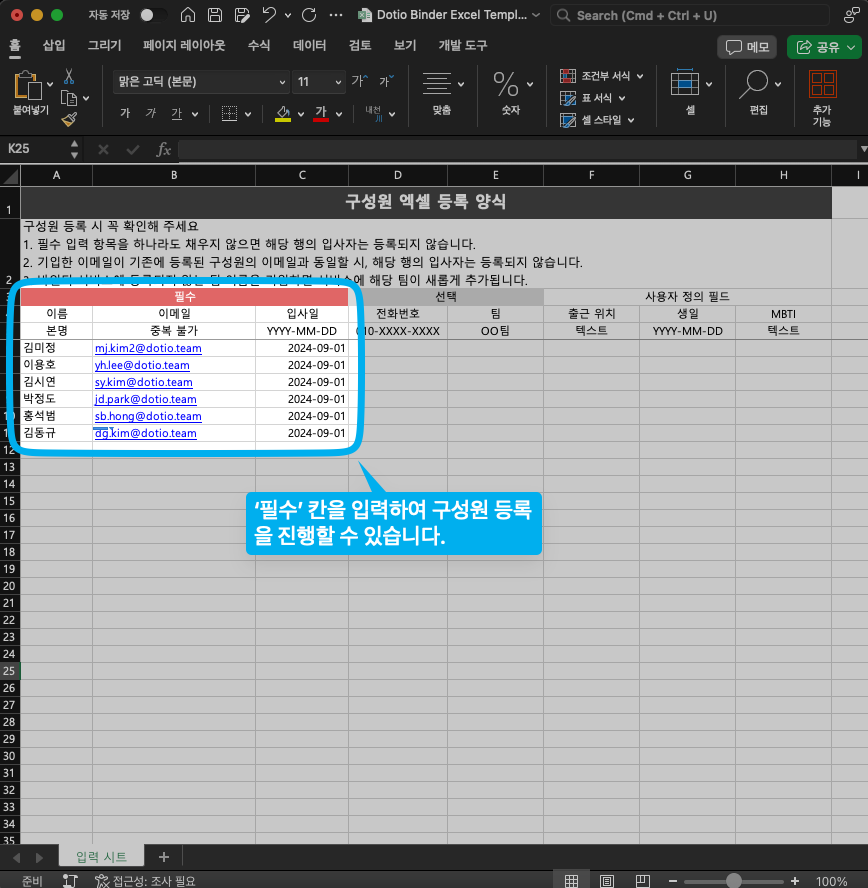
  2️⃣ 다운로드 받은 엑셀 파일을 실행하고, 엑셀 파일에 추가할 구성원분들의 정보를 기입해주세요.
</Info>

<img src="https://mintcdn.com/binder-0d6eccc3/PL1IgXSFD8m8il_d/images/SCR-20240902-pufv.png?fit=max&auto=format&n=PL1IgXSFD8m8il_d&q=85&s=39c369319a497dcfe99f50a1f6f1f367" width="868" height="888" data-path="images/SCR-20240902-pufv.png" />

<Info>
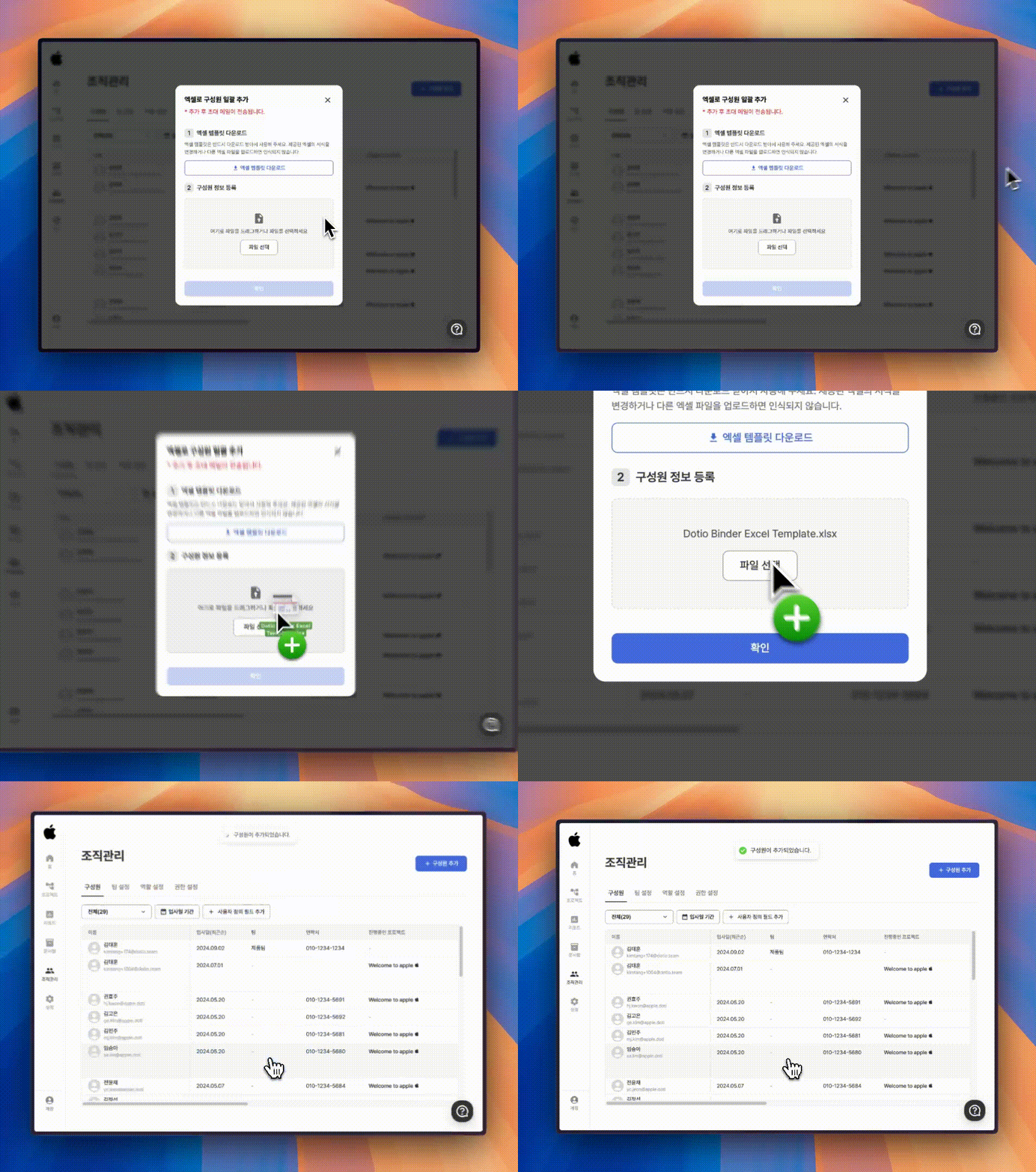
  3️⃣ 엑셀을 구성원 정보 등록 칸에 추가하고, 확인 버튼을 눌러 구성원 추가를 완료합니다.
</Info>

<img src="https://mintcdn.com/binder-0d6eccc3/PL1IgXSFD8m8il_d/images/multiple_org_success.gif?s=b563eb880d737d6cd2703f9c75949f93" width="954" height="720" data-path="images/multiple_org_success.gif" />

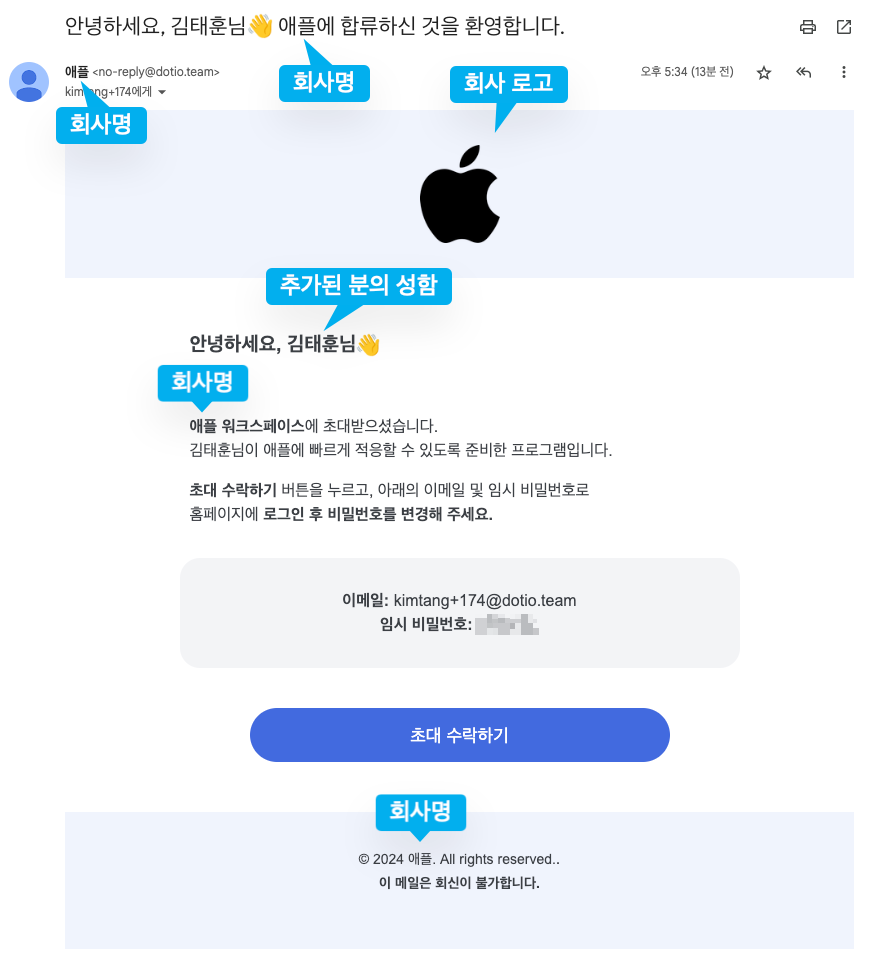
## 3. 초대된 구성원들의 이메일 예시 ✉️

<img src="https://mintcdn.com/binder-0d6eccc3/PL1IgXSFD8m8il_d/images/SCR-20240902-ppnn.png?fit=max&auto=format&n=PL1IgXSFD8m8il_d&q=85&s=28398489ec47d02e993a9aad95fe53ef" width="872" height="969" data-path="images/SCR-20240902-ppnn.png" />